HR application / employees-apex
employees-apex
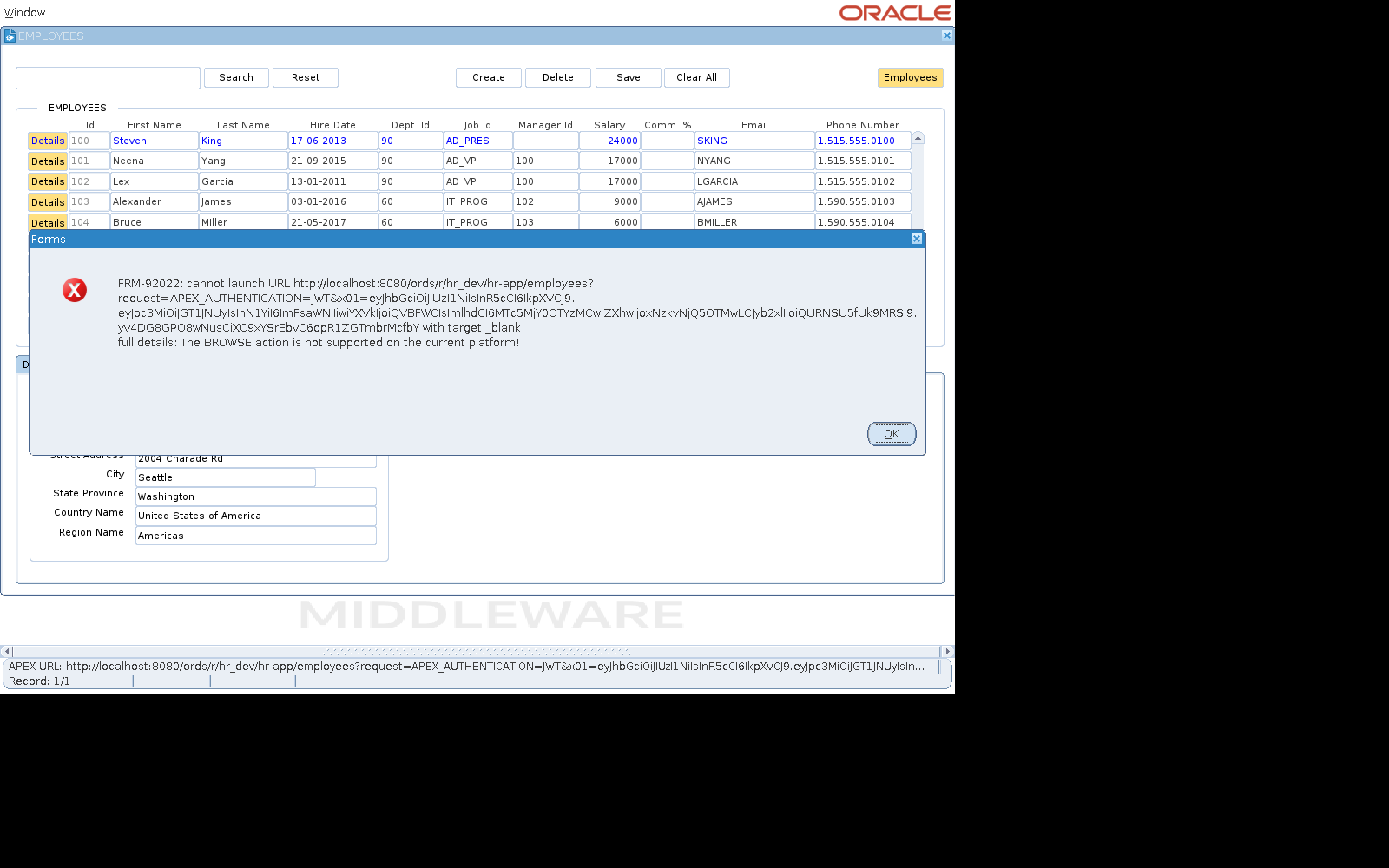
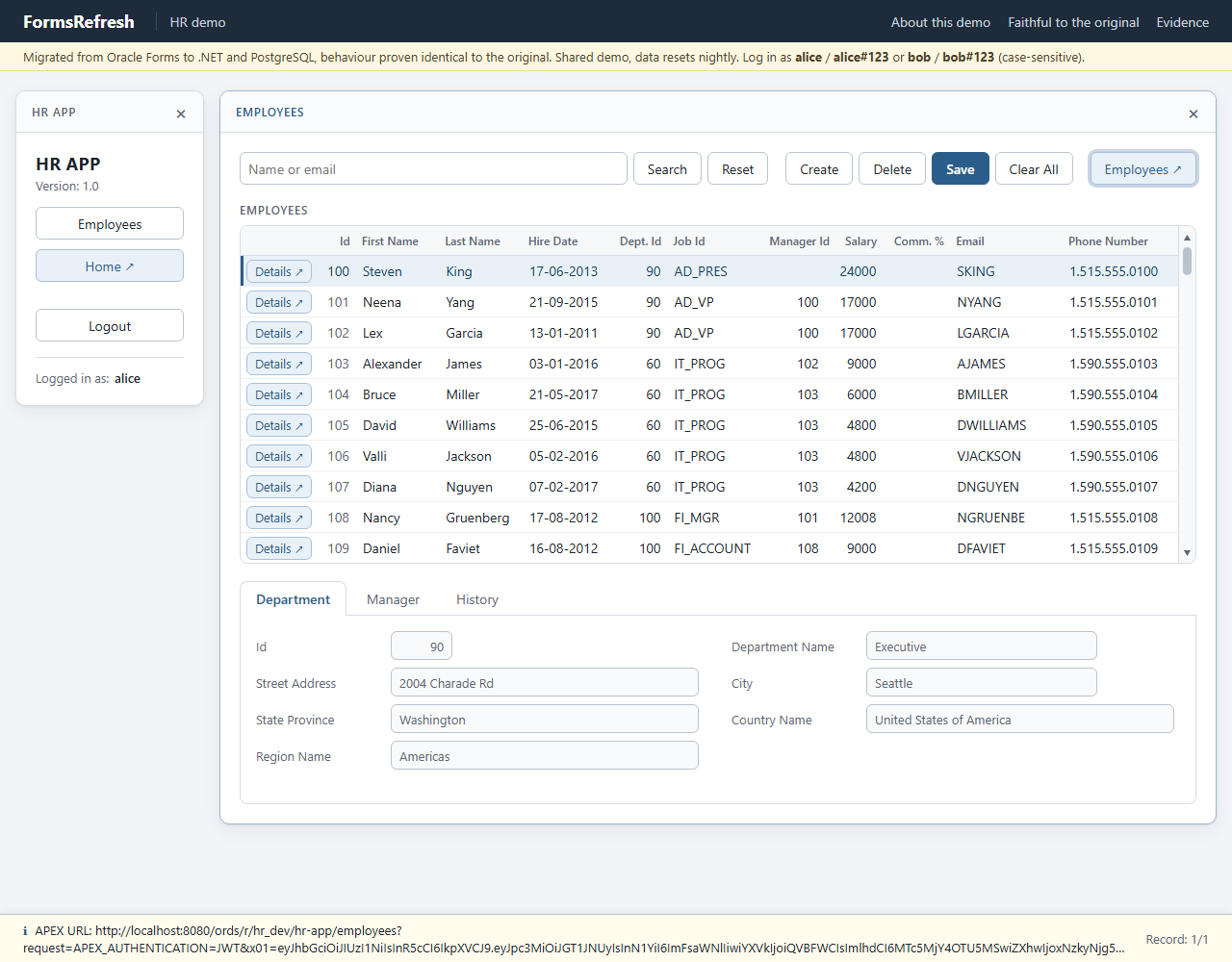
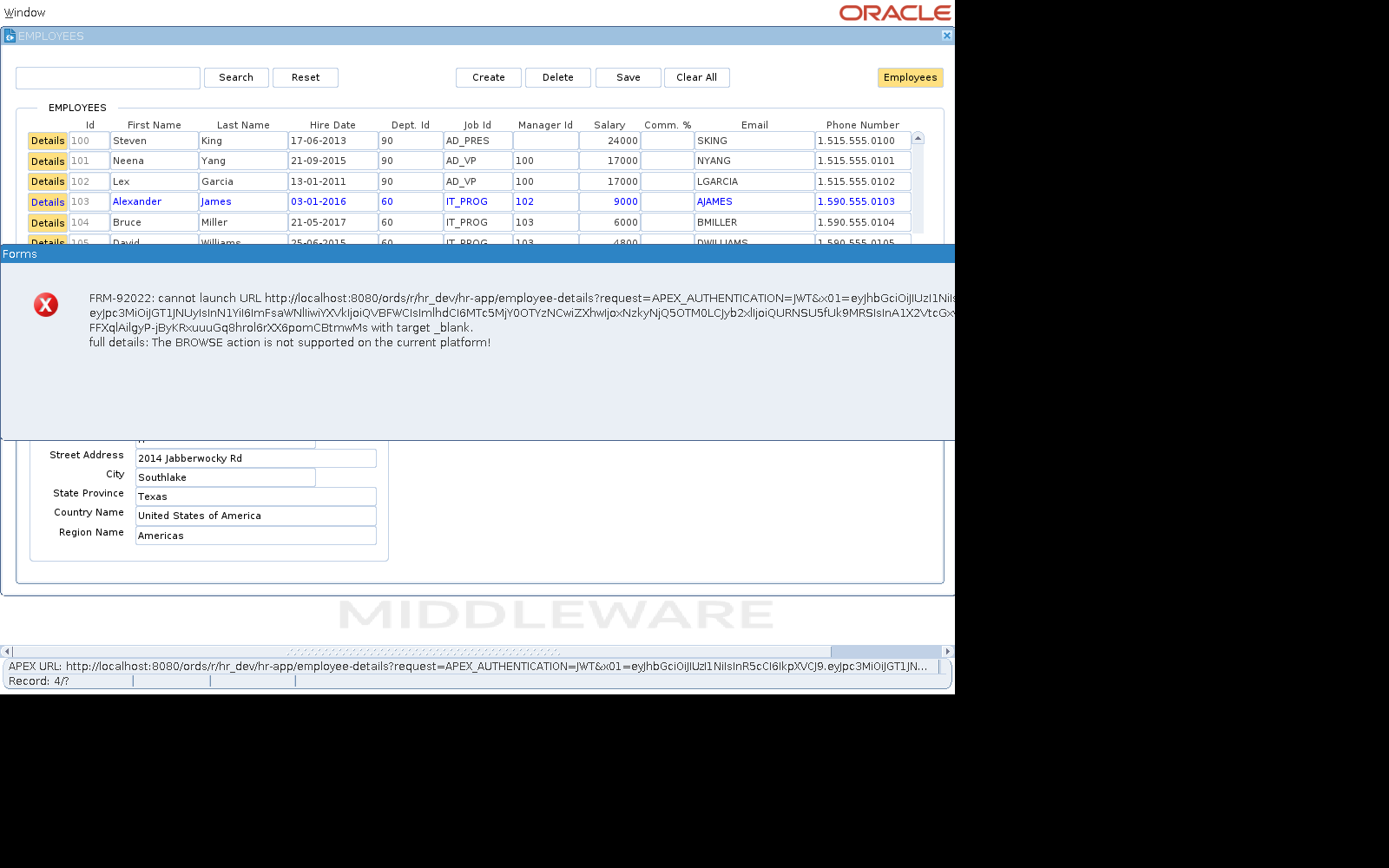
The block's APEX button and a row's Details button each compose an APEX URL with a signed token; the client host has no browser, so WEB.SHOW_DOCUMENT answers with FRM-92022. Closing EMPLOYEES ends its database session (OPEN_FORM with SESSION), which writes that session's PL/SQL coverage.
Three runs from a fresh database gave byte-identical diffs. Behaviour that looks odd in the migrated app but is the original's: faithful to the original and waivers. Files: scenario, golden record, target record, diff (JSON).
Scenario steps
Items are addressed by their Forms name (BLOCK.ITEM[row]), the same name in the
original and, through the mapping, in the migrated app.
| # | Step | Action | Checked on the original |
|---|---|---|---|
| 0 | Open form login | ||
| 1 | Type LOGIN.USERNAME = alice, LOGIN.PASSWORD = alice#123 | ||
| 2 | login | Click LOGIN.LOGIN | |
| 3 | employees | Click CONSOLE.EMPLOYEES | |
| 4 | apex button | Click BUTTONS.APEX_BUTTON | alert FRM-92022 |
| 5 | acknowledge | Answer the alert OK | |
| 6 | row details | Click EMPLOYEES.APEX[3] | alert FRM-92022 |
| 7 | acknowledge details | Answer the alert OK | |
| 8 | close employees | Click EMPLOYEES.Close |
Screens, step by step
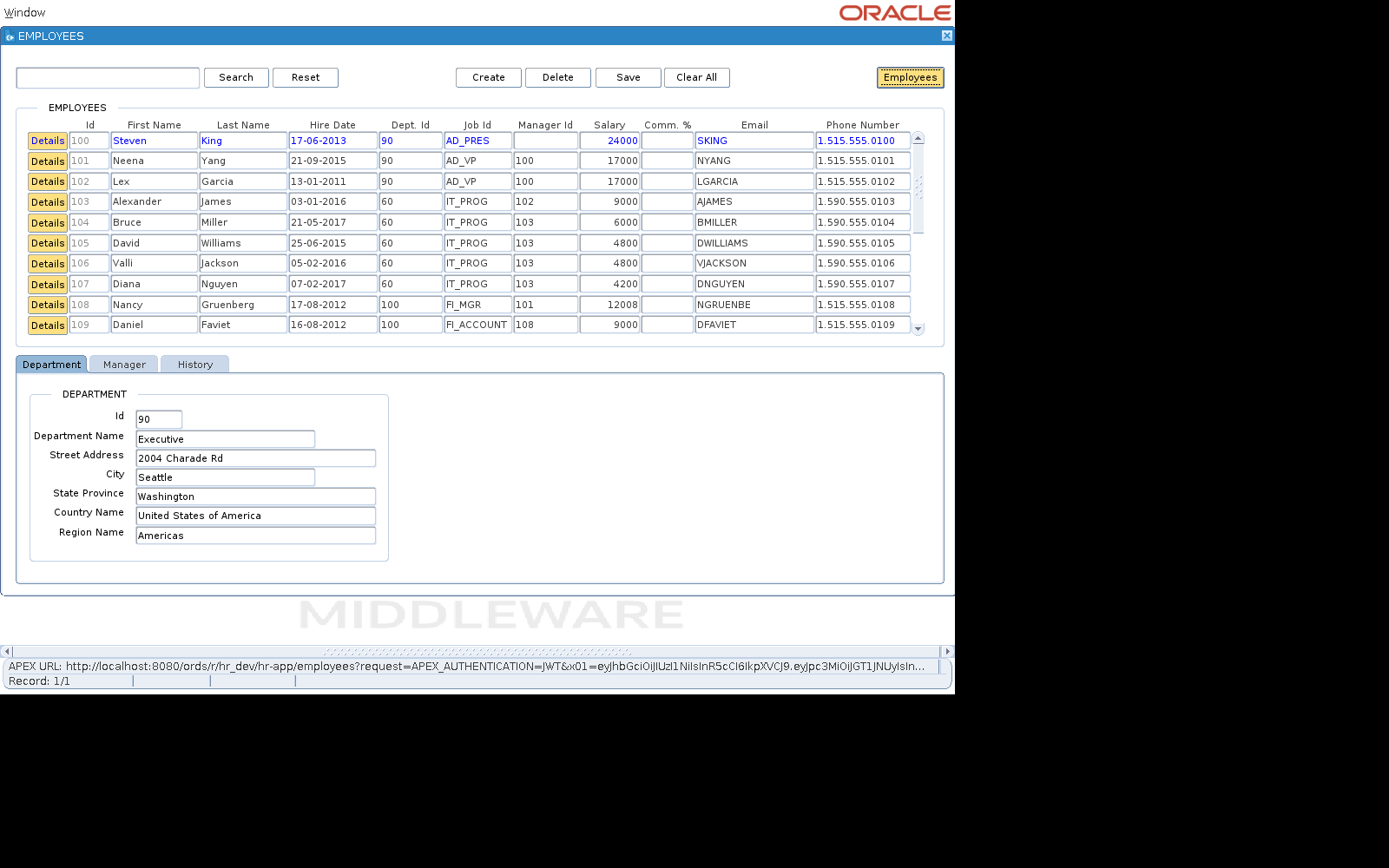
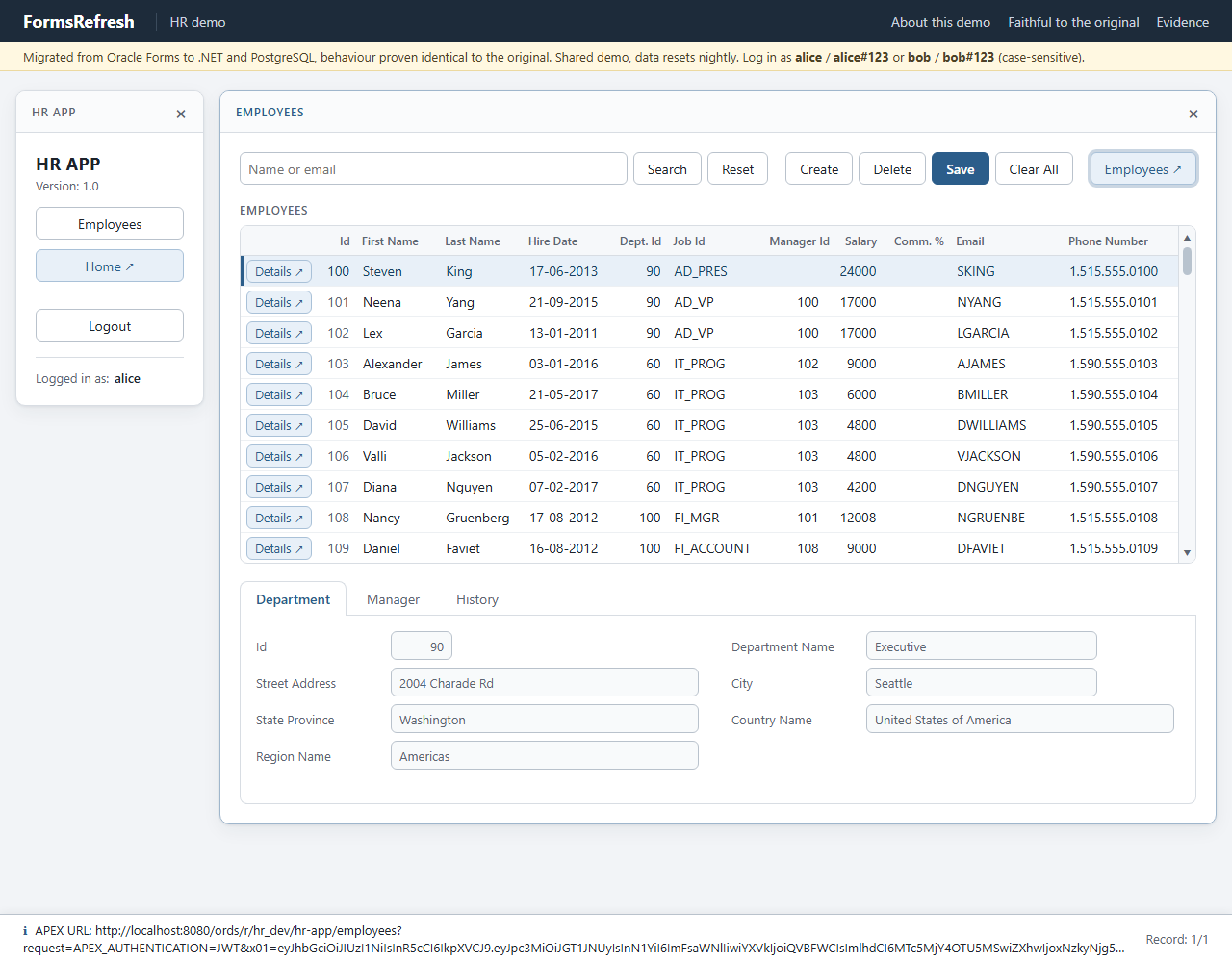
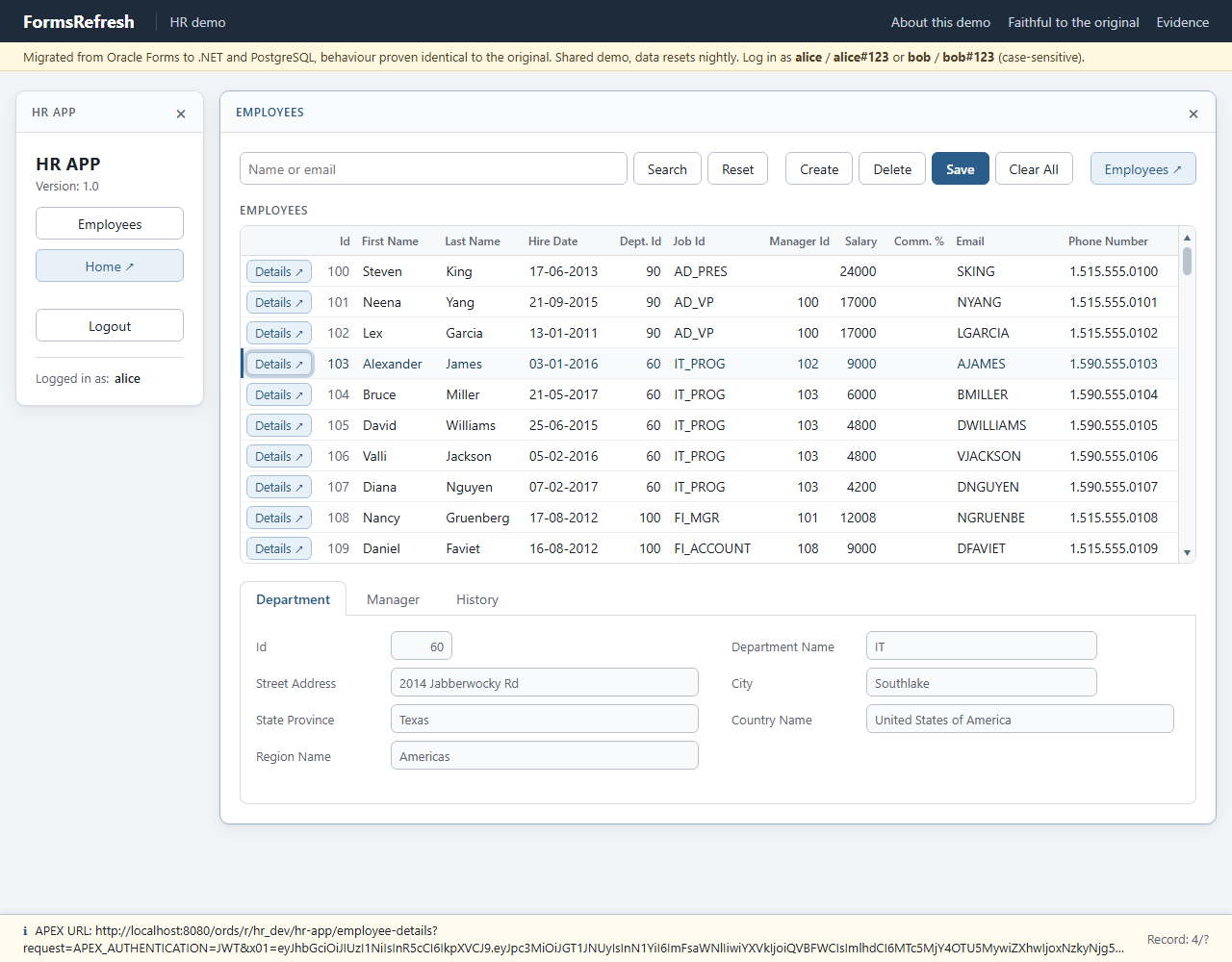
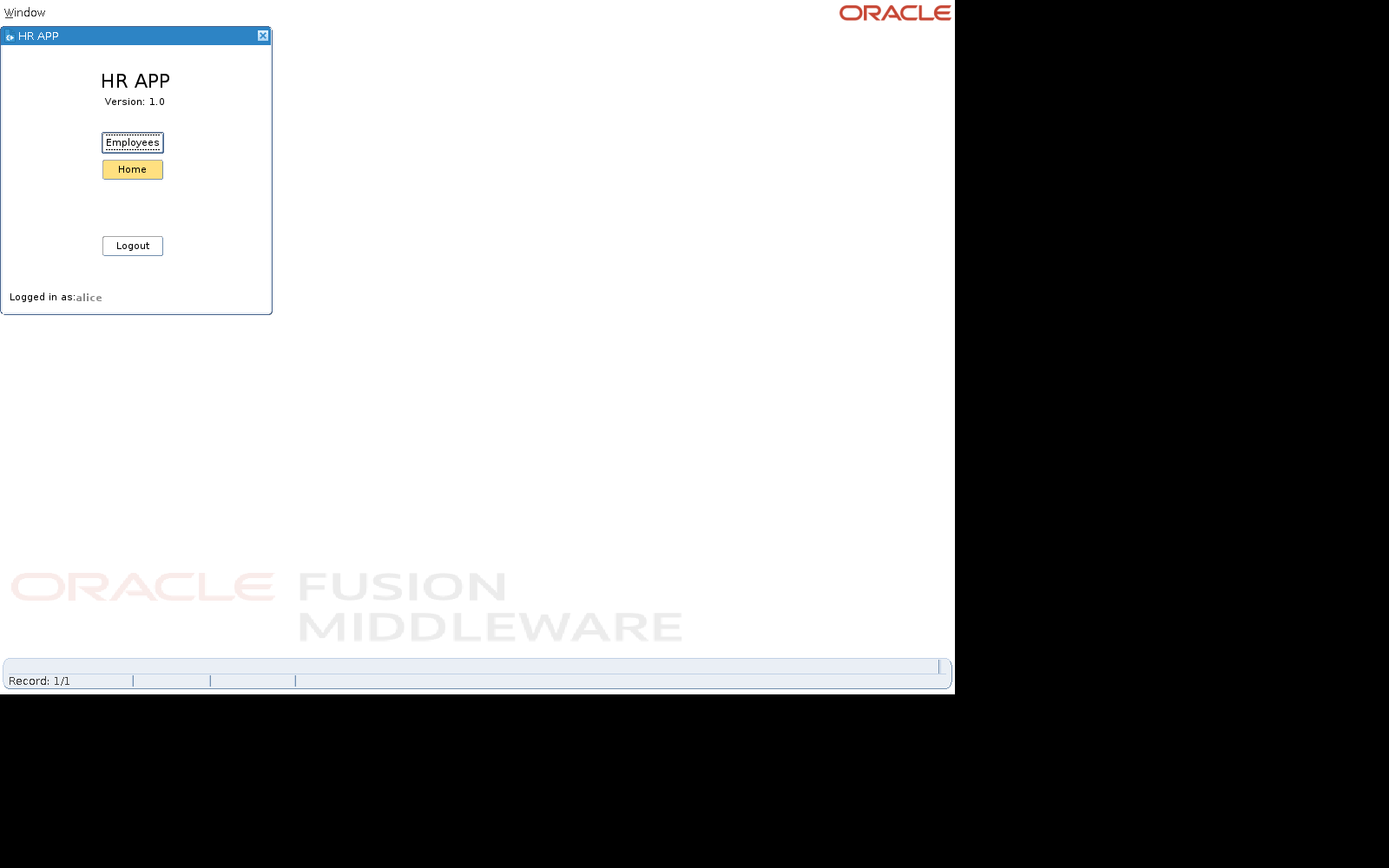
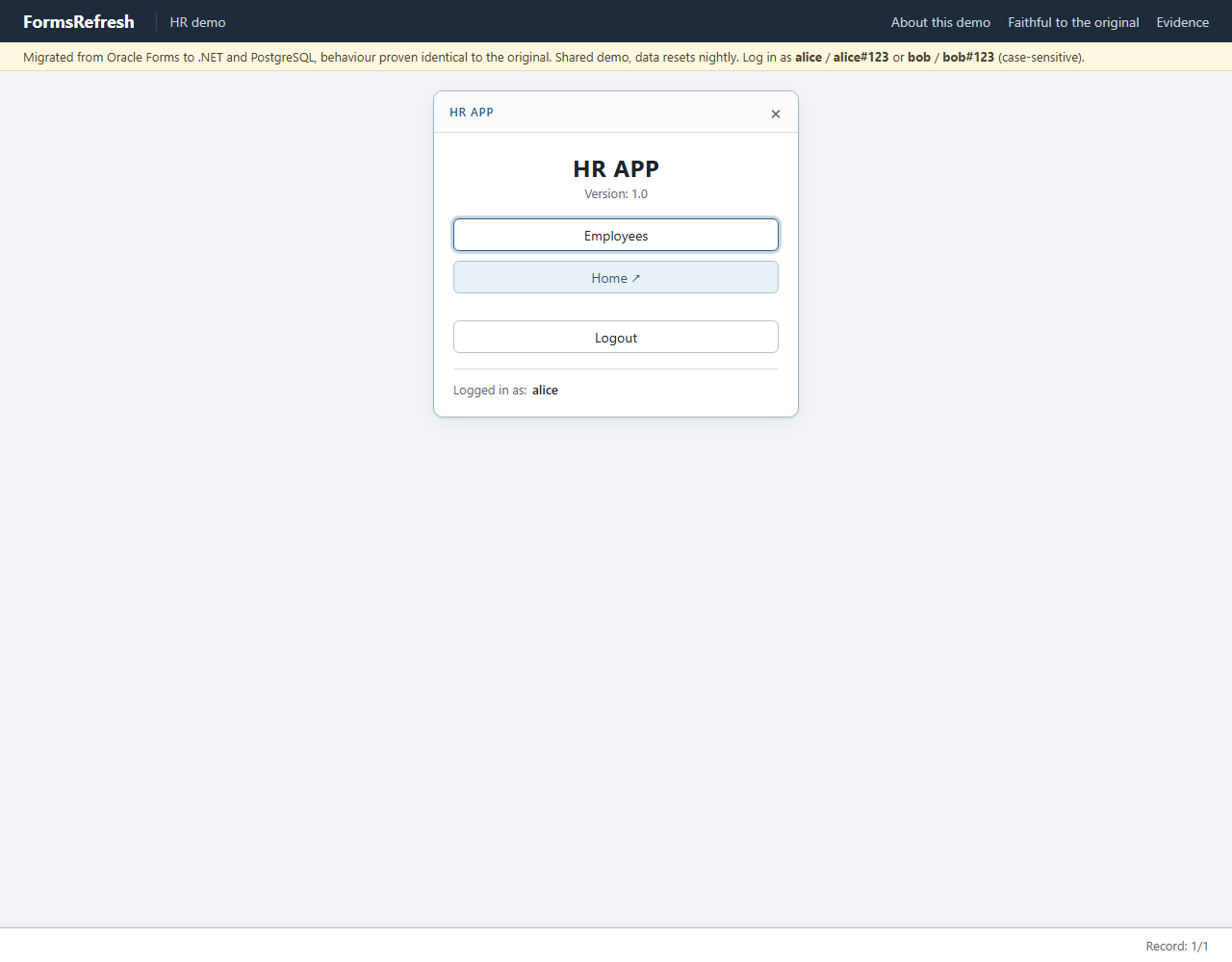
Left: the original Oracle Forms application, recorded on a virtual display. Right: the migrated application in headless Chromium. Screenshots are evidence only; the comparison works on the recorded values.
Step 0: open login
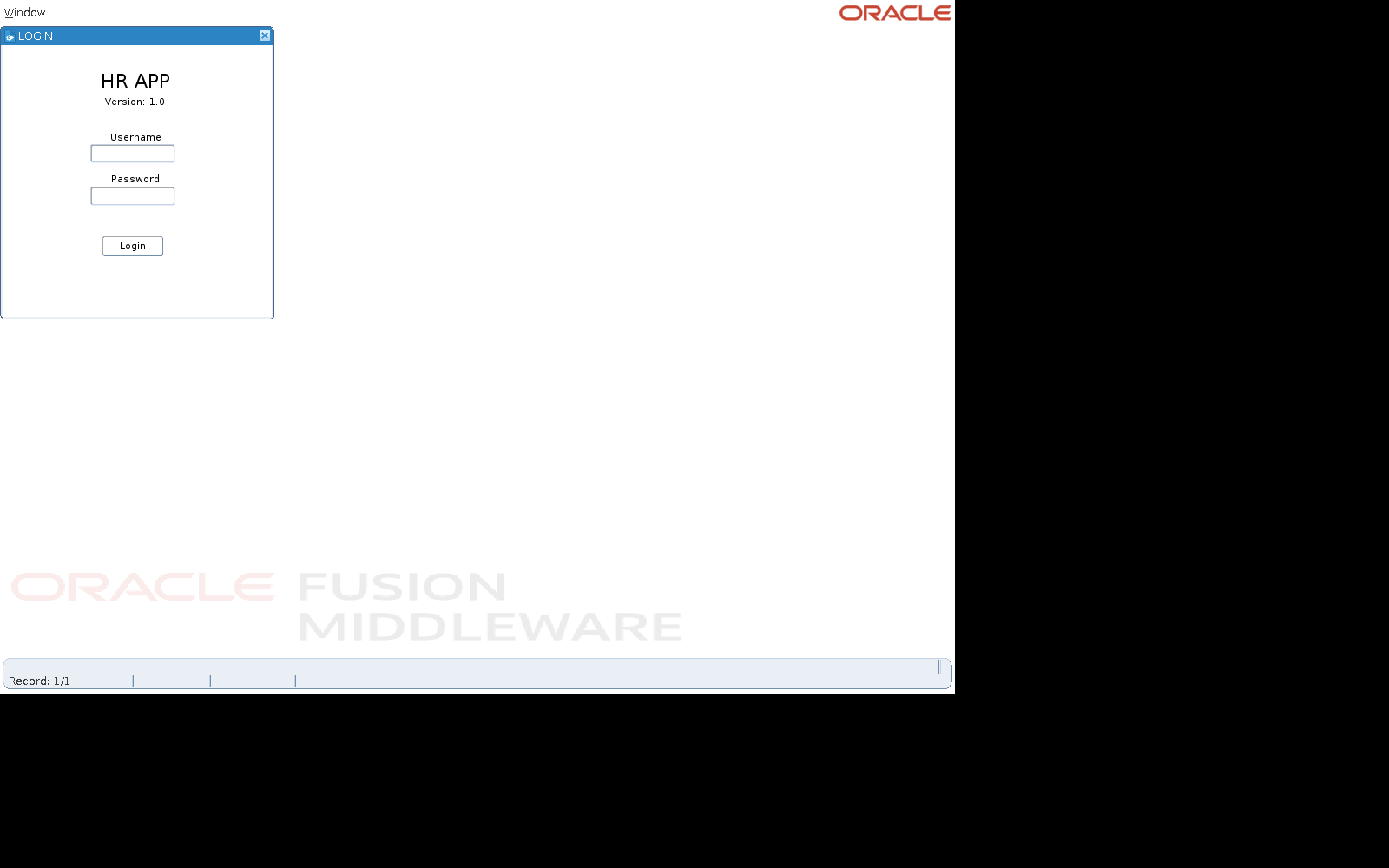
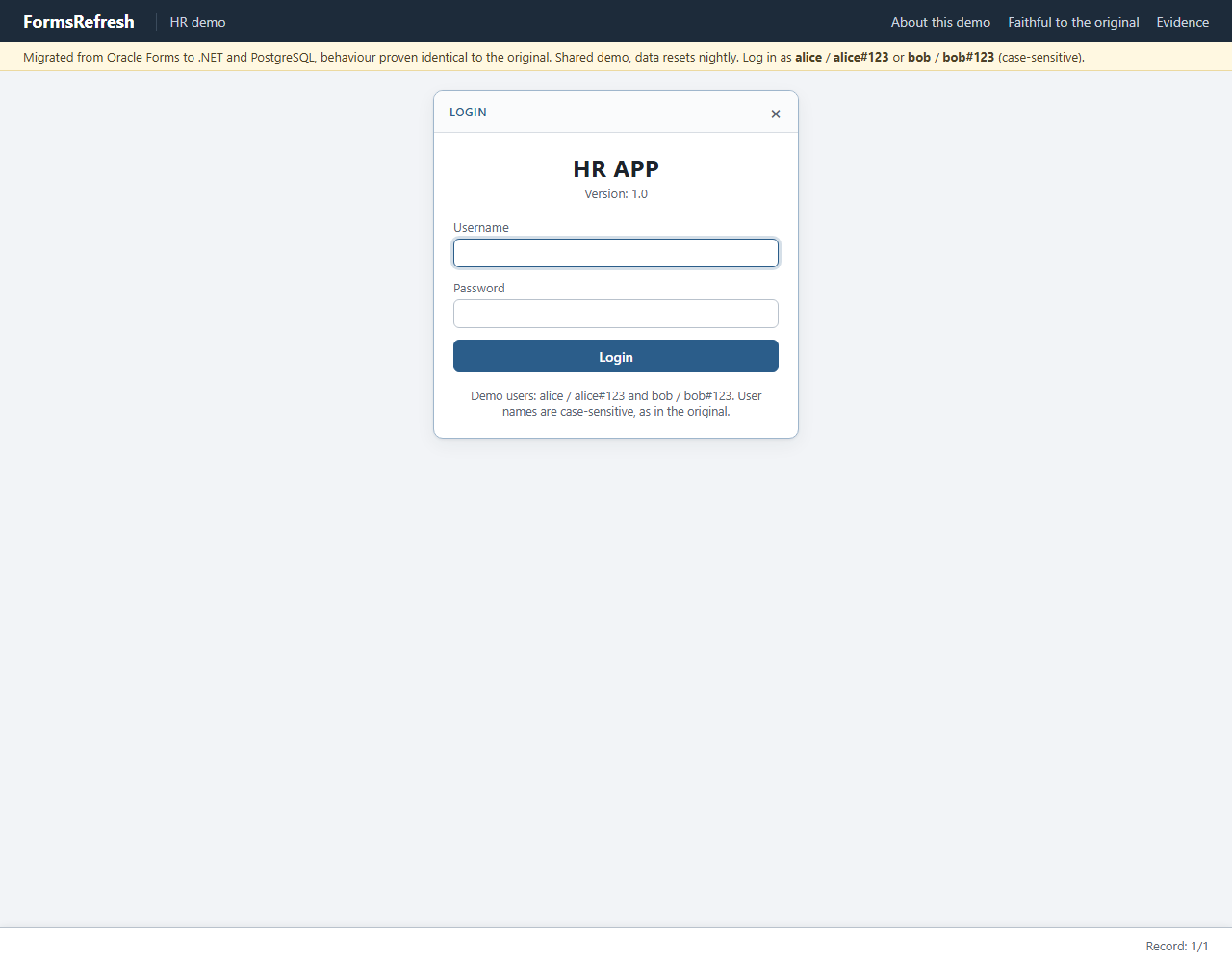
Step 1: type
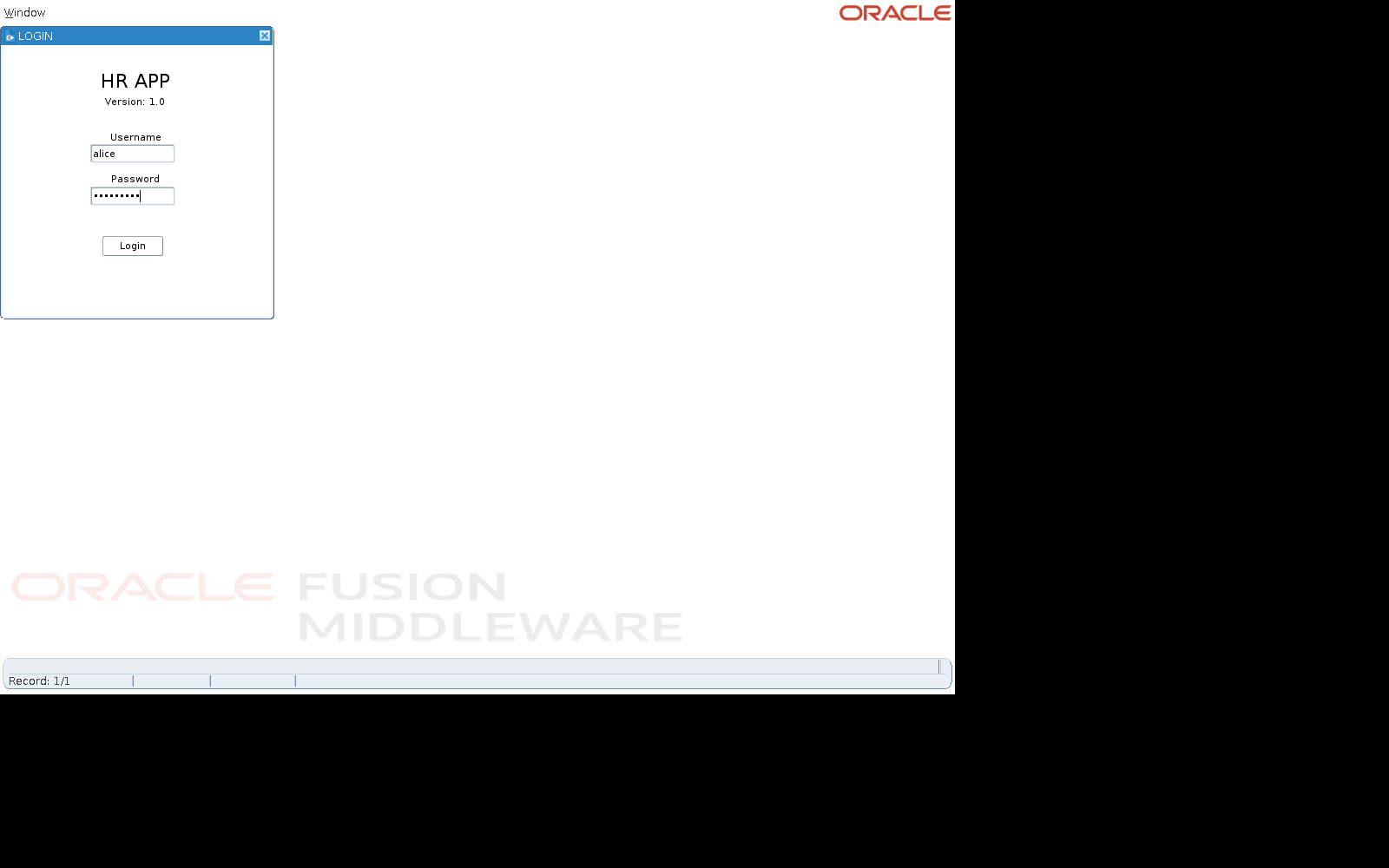
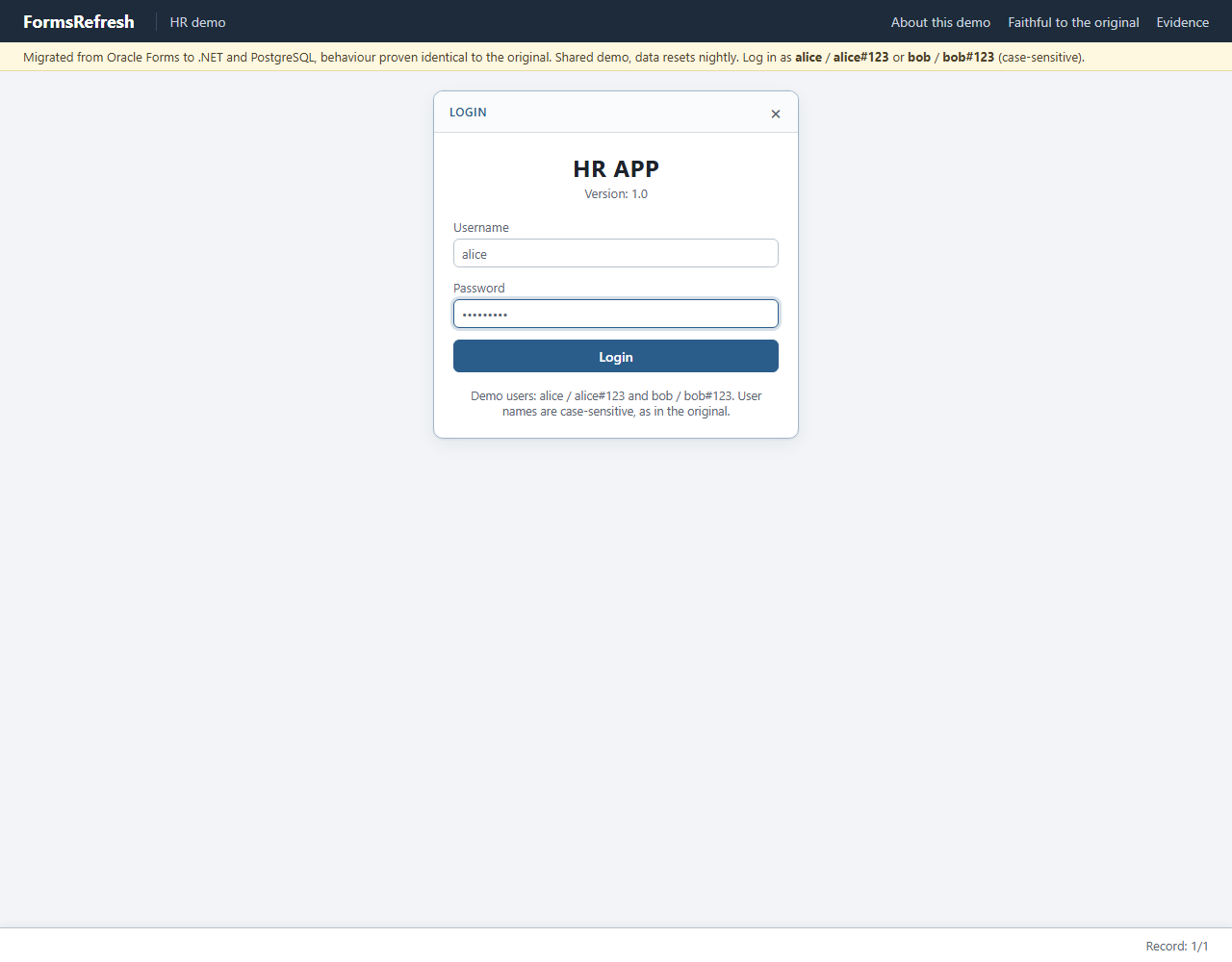
Step 2: login
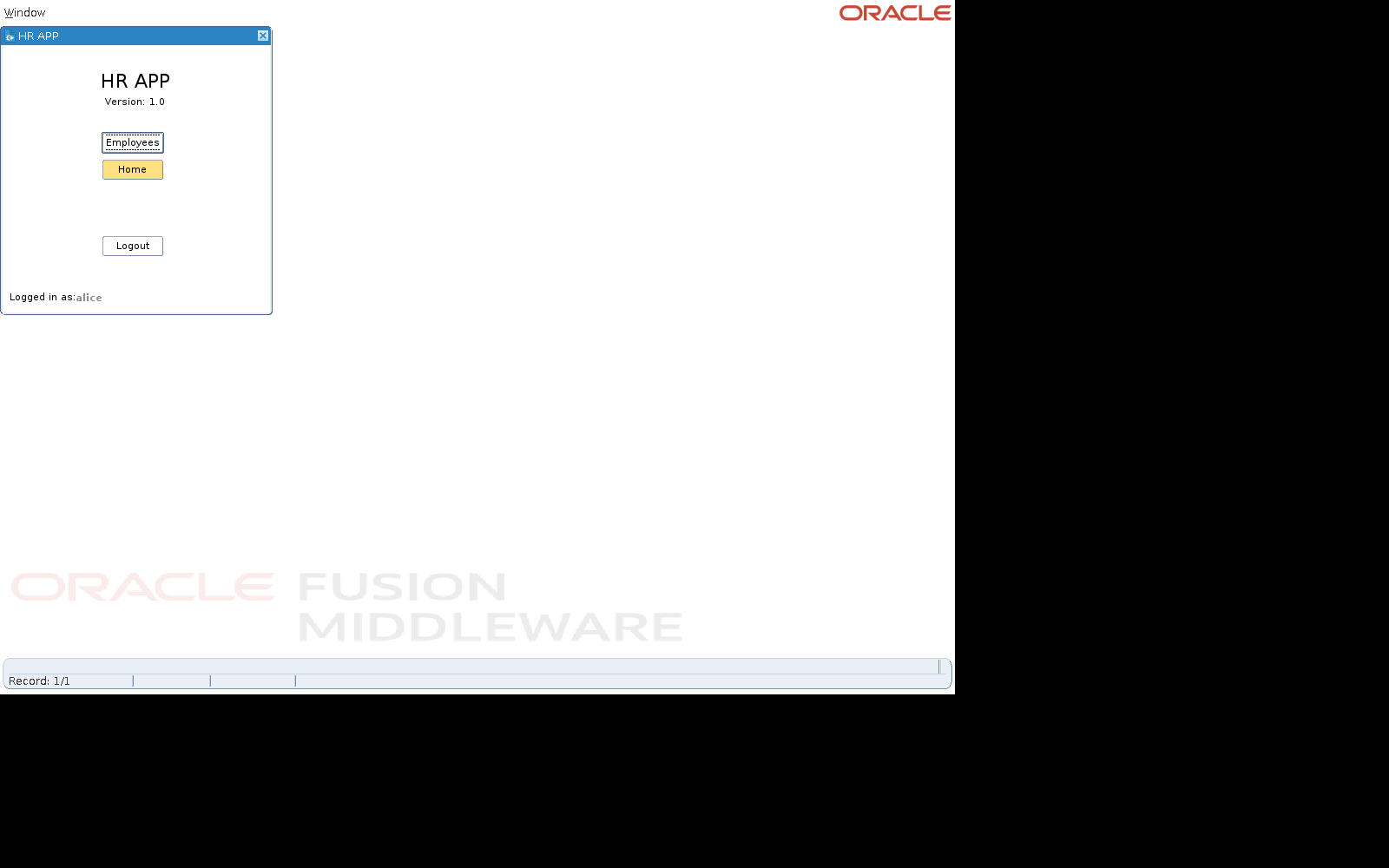
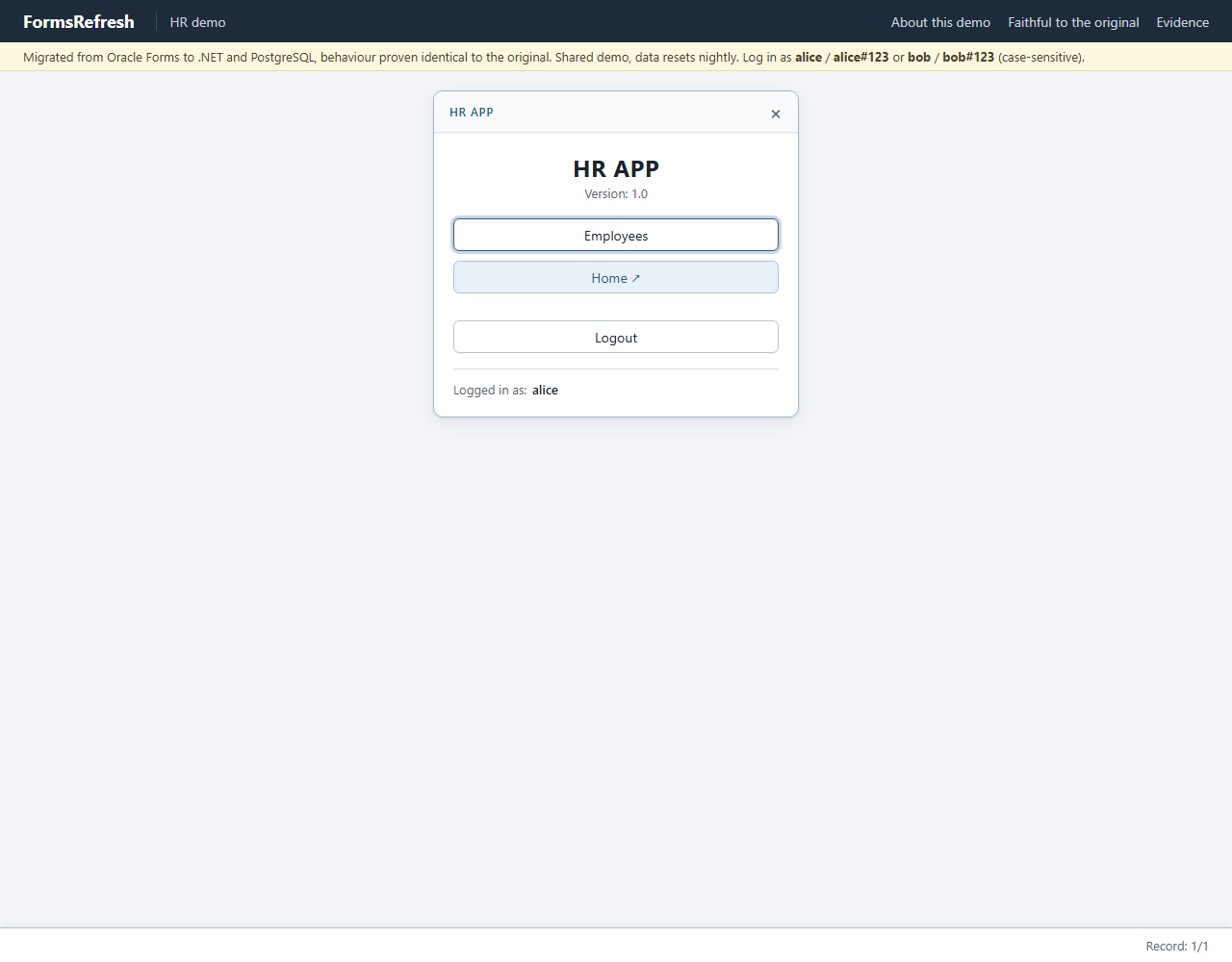
Step 3: employees
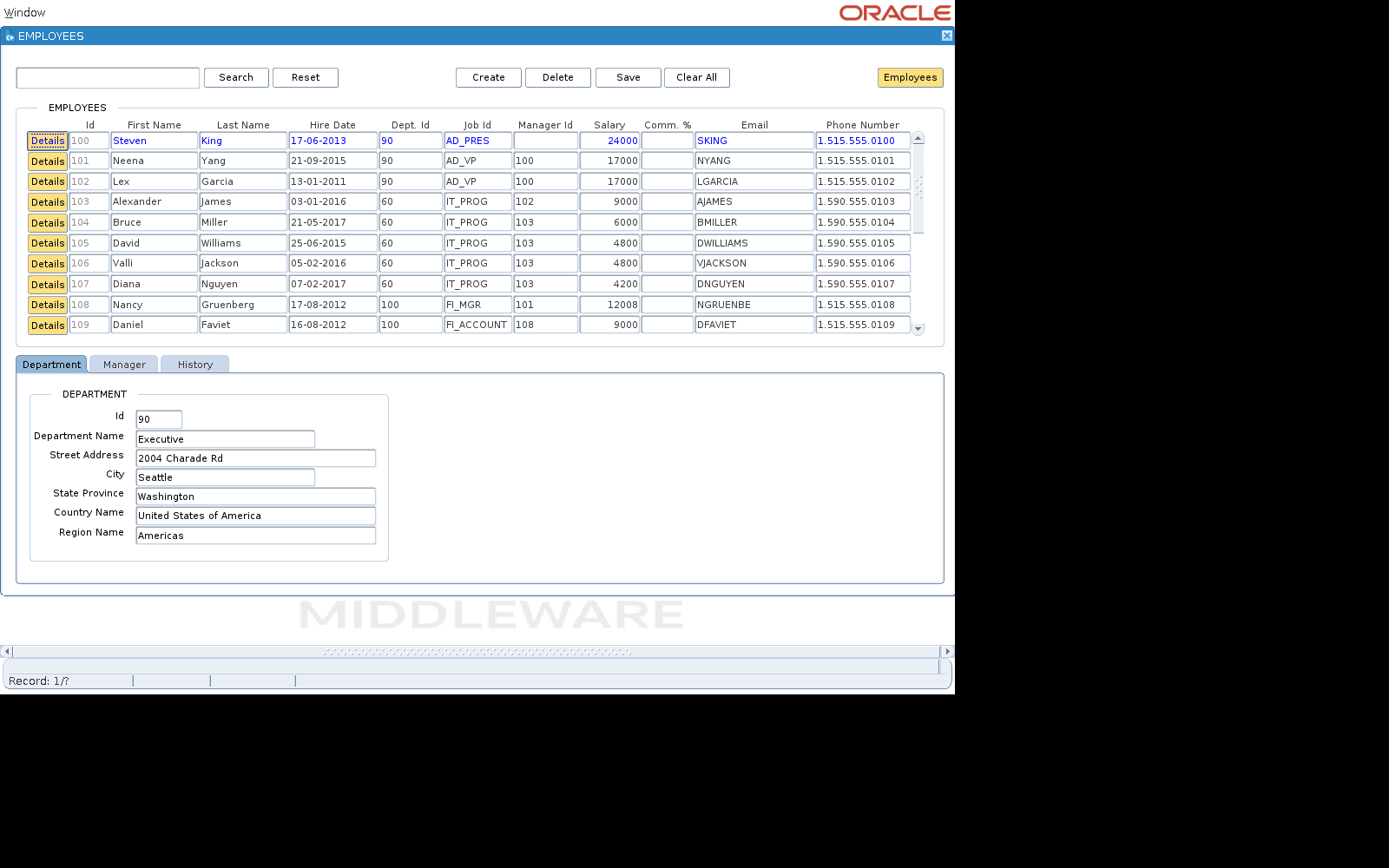
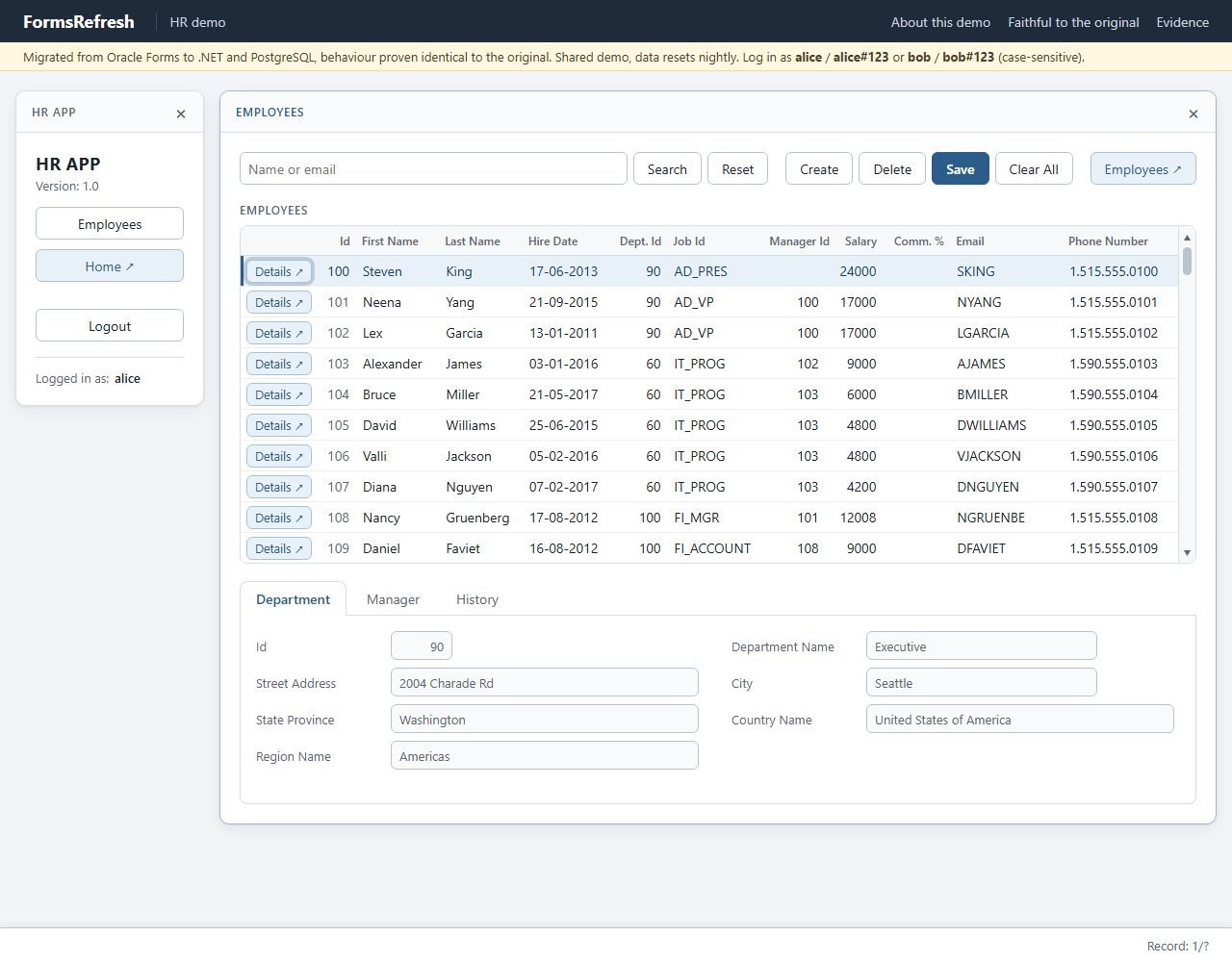
Step 4: apex button
Step 5: acknowledge
Step 6: row details
Step 7: acknowledge details
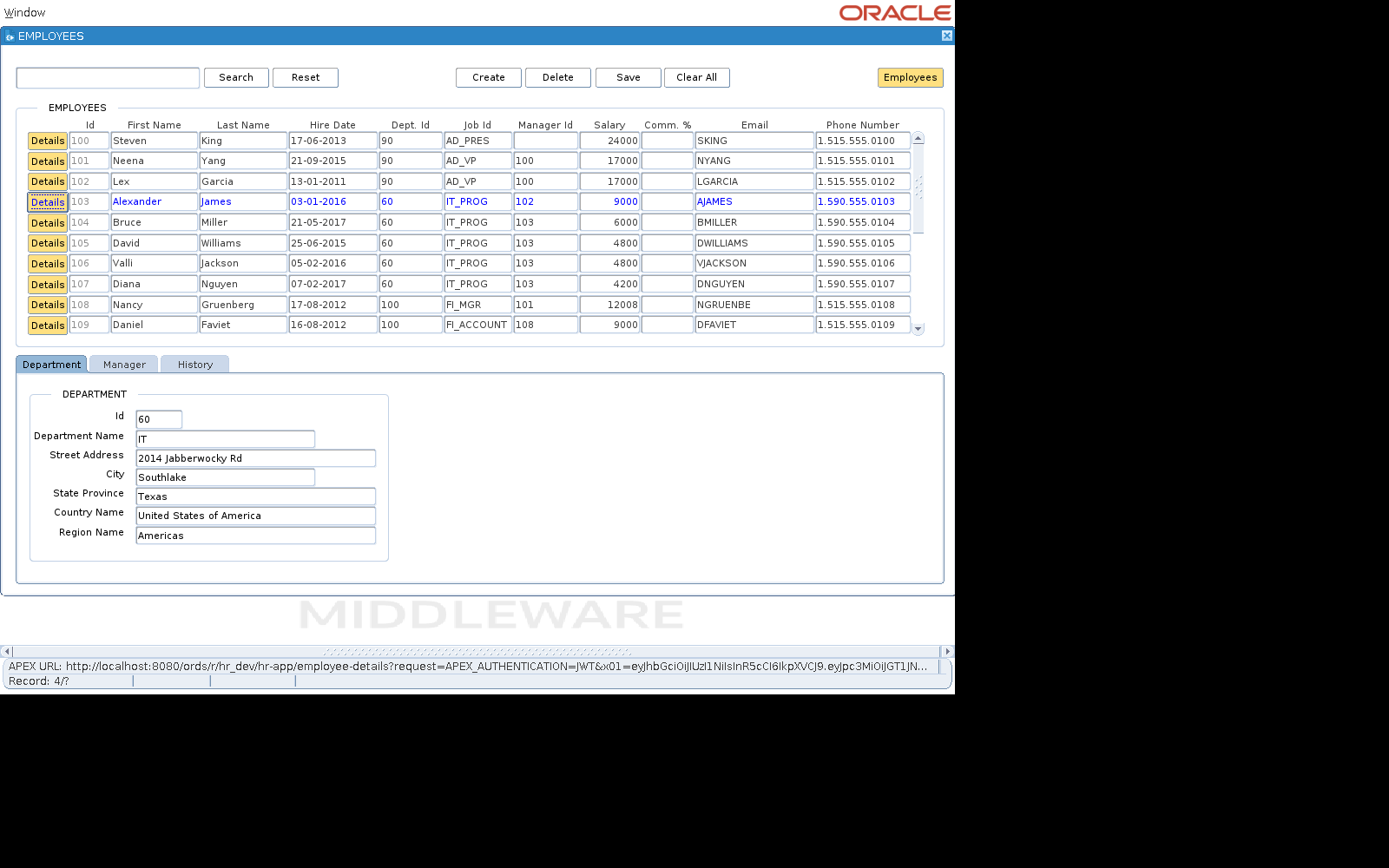
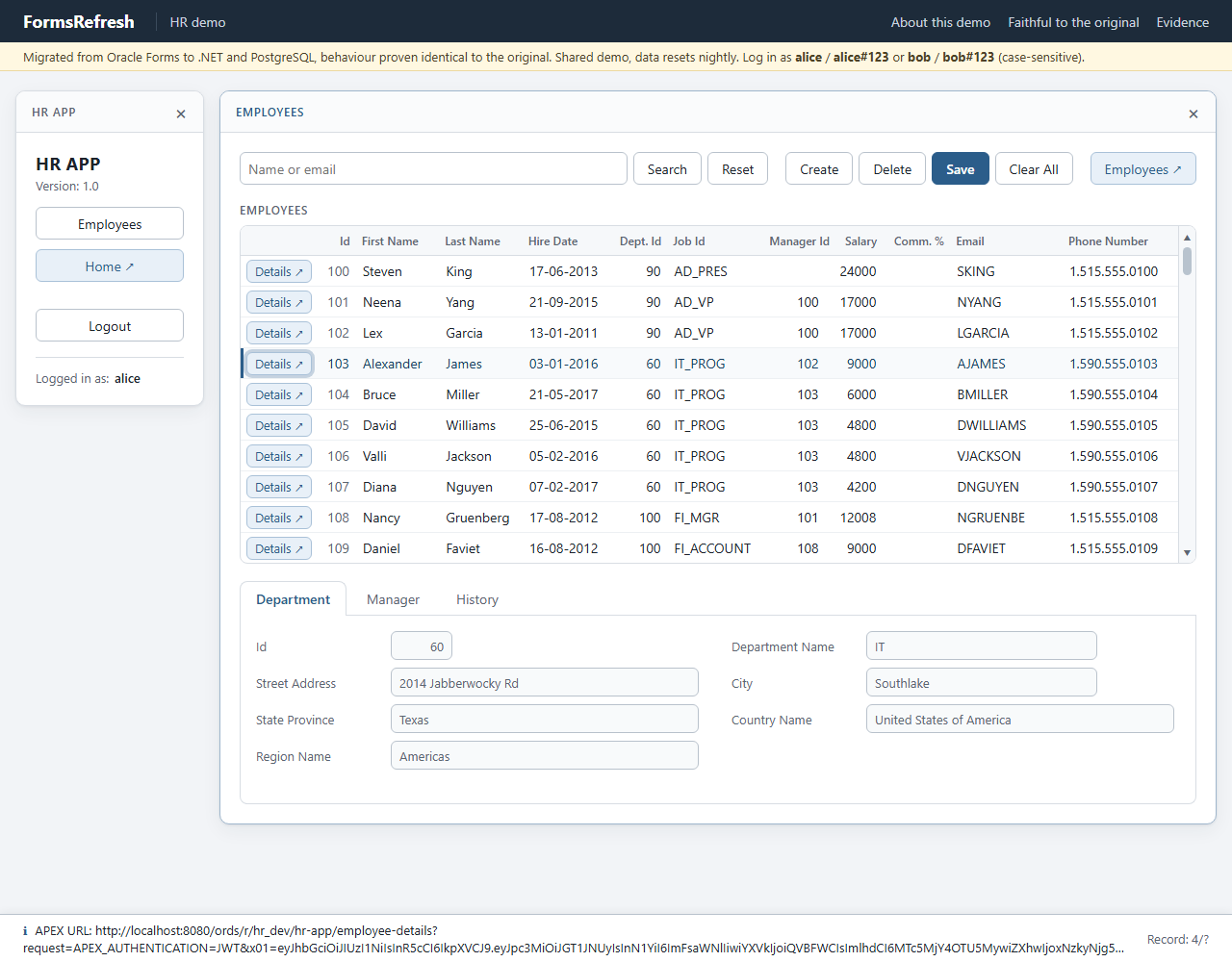
Step 8: close employees
Golden record of the original
After each step: the focus, the displayed values that changed, the message line and any alert. The full record (every item of every step, windows, lists of values) is in the JSON file.
| # | Step | Action (by name) | Focus after | Displayed values that changed | Message line | Alert | Expect |
|---|---|---|---|---|---|---|---|
| 0 | Open form login | LOGIN.USERNAME[0] | |||||
| 1 | Type LOGIN.USERNAME = alice, LOGIN.PASSWORD = alice#123 | LOGIN.PASSWORD[0] | LOGIN.PASSWORD[0] = alice#123LOGIN.USERNAME[0] = alice | ||||
| 2 | login | Click LOGIN.LOGIN | CONSOLE.EMPLOYEES[0] | CONSOLE.USERNAME[0] = alice | |||
| 3 | employees | Click CONSOLE.EMPLOYEES | EMPLOYEES.APEX[0] | DEPARTMENT.CITY[0] = SeattleDEPARTMENT.COUNTRY_NAME[0] = United States of AmericaDEPARTMENT.DEPARTMENT_ID[0] = 90DEPARTMENT.DEPARTMENT_NAME[0] = ExecutiveDEPARTMENT.REGION_NAME[0] = AmericasDEPARTMENT.STATE_PROVINCE[0] = WashingtonDEPARTMENT.STREET_ADDRESS[0] = 2004 Charade RdEMPLOYEES.DEPARTMENT_ID[0] = 90EMPLOYEES.DEPARTMENT_ID[1] = 90EMPLOYEES.DEPARTMENT_ID[2] = 90EMPLOYEES.DEPARTMENT_ID[3] = 60EMPLOYEES.DEPARTMENT_ID[4] = 60EMPLOYEES.DEPARTMENT_ID[5] = 60EMPLOYEES.DEPARTMENT_ID[6] = 60EMPLOYEES.DEPARTMENT_ID[7] = 60EMPLOYEES.DEPARTMENT_ID[8] = 100EMPLOYEES.DEPARTMENT_ID[9] = 100EMPLOYEES.EMAIL[0] = SKINGEMPLOYEES.EMAIL[1] = NYANGEMPLOYEES.EMAIL[2] = LGARCIAEMPLOYEES.EMAIL[3] = AJAMESEMPLOYEES.EMAIL[4] = BMILLEREMPLOYEES.EMAIL[5] = DWILLIAMSEMPLOYEES.EMAIL[6] = VJACKSONEMPLOYEES.EMAIL[7] = DNGUYENEMPLOYEES.EMAIL[8] = NGRUENBEEMPLOYEES.EMAIL[9] = DFAVIETEMPLOYEES.EMPLOYEE_ID[0] = 100EMPLOYEES.EMPLOYEE_ID[1] = 101EMPLOYEES.EMPLOYEE_ID[2] = 102EMPLOYEES.EMPLOYEE_ID[3] = 103EMPLOYEES.EMPLOYEE_ID[4] = 104EMPLOYEES.EMPLOYEE_ID[5] = 105EMPLOYEES.EMPLOYEE_ID[6] = 106EMPLOYEES.EMPLOYEE_ID[7] = 107EMPLOYEES.EMPLOYEE_ID[8] = 108EMPLOYEES.EMPLOYEE_ID[9] = 109EMPLOYEES.FIRST_NAME[0] = StevenEMPLOYEES.FIRST_NAME[1] = NeenaEMPLOYEES.FIRST_NAME[2] = LexEMPLOYEES.FIRST_NAME[3] = AlexanderEMPLOYEES.FIRST_NAME[4] = BruceEMPLOYEES.FIRST_NAME[5] = DavidEMPLOYEES.FIRST_NAME[6] = ValliEMPLOYEES.FIRST_NAME[7] = DianaEMPLOYEES.FIRST_NAME[8] = NancyEMPLOYEES.FIRST_NAME[9] = DanielEMPLOYEES.HIRE_DATE[0] = 17-06-2013EMPLOYEES.HIRE_DATE[1] = 21-09-2015EMPLOYEES.HIRE_DATE[2] = 13-01-2011EMPLOYEES.HIRE_DATE[3] = 03-01-2016EMPLOYEES.HIRE_DATE[4] = 21-05-2017EMPLOYEES.HIRE_DATE[5] = 25-06-2015EMPLOYEES.HIRE_DATE[6] = 05-02-2016EMPLOYEES.HIRE_DATE[7] = 07-02-2017EMPLOYEES.HIRE_DATE[8] = 17-08-2012EMPLOYEES.HIRE_DATE[9] = 16-08-2012EMPLOYEES.JOB_ID[0] = AD_PRESEMPLOYEES.JOB_ID[1] = AD_VPEMPLOYEES.JOB_ID[2] = AD_VPEMPLOYEES.JOB_ID[3] = IT_PROGEMPLOYEES.JOB_ID[4] = IT_PROGEMPLOYEES.JOB_ID[5] = IT_PROGEMPLOYEES.JOB_ID[6] = IT_PROGEMPLOYEES.JOB_ID[7] = IT_PROGEMPLOYEES.JOB_ID[8] = FI_MGREMPLOYEES.JOB_ID[9] = FI_ACCOUNTEMPLOYEES.LAST_NAME[0] = KingEMPLOYEES.LAST_NAME[1] = YangEMPLOYEES.LAST_NAME[2] = GarciaEMPLOYEES.LAST_NAME[3] = JamesEMPLOYEES.LAST_NAME[4] = MillerEMPLOYEES.LAST_NAME[5] = WilliamsEMPLOYEES.LAST_NAME[6] = JacksonEMPLOYEES.LAST_NAME[7] = NguyenEMPLOYEES.LAST_NAME[8] = GruenbergEMPLOYEES.LAST_NAME[9] = FavietEMPLOYEES.MANAGER_ID[1] = 100EMPLOYEES.MANAGER_ID[2] = 100EMPLOYEES.MANAGER_ID[3] = 102EMPLOYEES.MANAGER_ID[4] = 103EMPLOYEES.MANAGER_ID[5] = 103EMPLOYEES.MANAGER_ID[6] = 103EMPLOYEES.MANAGER_ID[7] = 103EMPLOYEES.MANAGER_ID[8] = 101EMPLOYEES.MANAGER_ID[9] = 108EMPLOYEES.PHONE_NUMBER[0] = 1.515.555.0100EMPLOYEES.PHONE_NUMBER[1] = 1.515.555.0101EMPLOYEES.PHONE_NUMBER[2] = 1.515.555.0102EMPLOYEES.PHONE_NUMBER[3] = 1.590.555.0103EMPLOYEES.PHONE_NUMBER[4] = 1.590.555.0104EMPLOYEES.PHONE_NUMBER[5] = 1.590.555.0105EMPLOYEES.PHONE_NUMBER[6] = 1.590.555.0106EMPLOYEES.PHONE_NUMBER[7] = 1.590.555.0107EMPLOYEES.PHONE_NUMBER[8] = 1.515.555.0108EMPLOYEES.PHONE_NUMBER[9] = 1.515.555.0109EMPLOYEES.SALARY[0] = 24000EMPLOYEES.SALARY[1] = 17000EMPLOYEES.SALARY[2] = 17000EMPLOYEES.SALARY[3] = 9000EMPLOYEES.SALARY[4] = 6000EMPLOYEES.SALARY[5] = 4800EMPLOYEES.SALARY[6] = 4800EMPLOYEES.SALARY[7] = 4200EMPLOYEES.SALARY[8] = 12008EMPLOYEES.SALARY[9] = 9000 | |||
| 4 | apex button | Click BUTTONS.APEX_BUTTON | FWindow/PushButton:OK | APEX URL: http://localhost:8080/ords/r/hr_dev/hr-app/employees?request=APEX_AUTHENTICATION=JWT&x01=<any> | FRM-92022: cannot launch URL http://localhost:8080/ords/r/hr_dev/hr-app/employees?request=APEX_AUTHENTICATION=JWT&x01=<any> with target _blank. full details: The BROWSE action is not supported on the current platform! | pass | |
| 5 | acknowledge | Answer the alert OK | BUTTONS.APEX_BUTTON[0] | APEX URL: http://localhost:8080/ords/r/hr_dev/hr-app/employees?request=APEX_AUTHENTICATION=JWT&x01=<any> | |||
| 6 | row details | Click EMPLOYEES.APEX[3] | FWindow/PushButton:OK | DEPARTMENT.CITY[0] = SouthlakeDEPARTMENT.DEPARTMENT_ID[0] = 60DEPARTMENT.DEPARTMENT_NAME[0] = ITDEPARTMENT.STATE_PROVINCE[0] = TexasDEPARTMENT.STREET_ADDRESS[0] = 2014 Jabberwocky Rd | APEX URL: http://localhost:8080/ords/r/hr_dev/hr-app/employee-details?request=APEX_AUTHENTICATION=JWT&x01=<any> | FRM-92022: cannot launch URL http://localhost:8080/ords/r/hr_dev/hr-app/employee-details?request=APEX_AUTHENTICATION=JWT&x01=<any> with target _blank. full details: The BROWSE action is not supported on the current platform! | pass |
| 7 | acknowledge details | Answer the alert OK | EMPLOYEES.APEX[3] | APEX URL: http://localhost:8080/ords/r/hr_dev/hr-app/employee-details?request=APEX_AUTHENTICATION=JWT&x01=<any> | |||
| 8 | close employees | Click EMPLOYEES.Close | CONSOLE.EMPLOYEES[0] |
Database effects
None: the scenario changes no row and draws no sequence value.
Classified diff against the migrated app
Diff: employees-apex
counts: match 656, tolerated 4, waived 10, defect 0, unmapped 0, harness 0
generated-id pairs (source -> target): none

waivers:
  H1 [proposed] APEX links fail with FRM-92022 instead of opening the page: applied to 10 value(s)
  H2 [proposed] Department tab keeps the previous department number: applied to 0 value(s)

[tolerated] ui.message  rule=mask:apex-token  x4
[waived] ui.action.alert  rule=waiver:H1  (the source accepted this action)  x2
    step05.action.alert: source 'performed' | target 'not performable: no alert open'
    step07.action.alert: source 'performed' | target 'not performable: no alert open'
[waived] ui.alert  rule=waiver:H1  (alert missing in the target)  x2
    step04.alert: source {"title": "Forms", "message": ["FRM-92022: cannot launch URL http:/... | target null
    step06.alert: source {"title": "Forms", "message": ["FRM-92022: cannot launch URL http:/... | target null
[waived] ui.focus  rule=waiver:H1  (expected dialog)  x2
    step04.focus: source 'FWindow/PushButton:OK' | target 'buttons.apex_button[0]'
    step06.focus: source 'FWindow/PushButton:OK' | target 'employees.apex[3]'
[waived] ui.seen.alert  rule=waiver:H1  (alert missing in the target)  x2
    step05.seen.alert: source {"title": "Forms", "message": ["FRM-92022: cannot launch URL http:/... | target null
    step07.seen.alert: source {"title": "Forms", "message": ["FRM-92022: cannot launch URL http:/... | target null
[waived] ui.windows  rule=waiver:H1  x2
    step04.windows: source [["CONSOLE", "HR APP"], ["EMPLOYEES", "EMPLOYEES"], ["alert", "Form... | target [["CONSOLE", "HR APP"], ["EMPLOYEES", "EMPLOYEES"]]
    step06.windows: source [["CONSOLE", "HR APP"], ["EMPLOYEES", "EMPLOYEES"], ["alert", "Form... | target [["CONSOLE", "HR APP"], ["EMPLOYEES", "EMPLOYEES"]]
Waivers
| Id | Waiver | Values | Reason |
|---|---|---|---|
| H1 | APEX links fail with FRM-92022 instead of opening the page | 10 | The APEX buttons (CONSOLE.APEX, BUTTONS.APEX_BUTTON, the EMPLOYEES.APEX row button) compose a signed APEX URL, show it on the message line and call WEB.SHOW_DOCUMENT(url, '_blank'). On the Forms 14.1.2 client this fails: Forms shows the alert "FRM-92022: cannot launch URL ... The BROWSE action is not supported on the current platform!" and the page never opens, so the source records an alert, alert focus and an extra window, and the user has to dismiss it. The target writes the same message and opens the URL in a new browser tab, which is what the code asks for. Replicating the failure would mean shipping a broken link. The message line (APEX URL with the token) is still compared. |